Are you struggling to import HubSpot blogs to WordPress without losing content quality, SEO value, and precious time? Migrating blog content from HubSpot to WordPress is a common challenge for businesses and bloggers who want more flexibility and ownership of their content.
Manual copy-paste is inefficient, and most methods fail to maintain formatting, images, metadata, and ongoing synchronization. That’s why I built the “Blog Importer for HubSpot” — a WordPress plugin that not only transfers your entire HubSpot blog to WordPress effortlessly but also keeps your content in sync automatically.
In this guide, I’ll explain:
- Why migrating from HubSpot to WordPress is a smart move
- How the Blog Importer for HubSpot solves this problem
- Step-by-step instructions to import HubSpot blogs to WordPress
- How to maintain content synchronization effortlessly
- Tips to optimize your imported WordPress blog
Why Migrate HubSpot Blogs to WordPress?
1. Reduced Costs, Increased Flexibility
HubSpot is a powerful platform, but its monthly fees can add up quickly, especially for growing businesses. WordPress, on the other hand, is open-source and free. You only pay for hosting and optional premium plugins or themes, making it a far more budget-friendly option in the long run.
Migrating your HubSpot blogs to WordPress gives you full access to advanced SEO plugins like Yoast SEO or Rank Math, which offer better control over on-page SEO optimization compared to HubSpot’s built-in tools.
2. Enhanced Design Control & Customization
While HubSpot limits design flexibility, WordPress opens up a universe of possibilities. From thousands of themes to powerful plugins, you can customize the appearance and functionality of your blog to match your brand perfectly.
Moving to WordPress allows businesses to revamp their blog design, integrate custom features, and improve user experience — all without platform restrictions.
3. Full Content Ownership & Data Portability
One major reason to import HubSpot blogs to WordPress is data ownership. On SaaS platforms like HubSpot, your content is stored on their servers. Migrating to WordPress gives you complete control and ownership of all your blog content, images, and media files. This ensures your valuable content is always in your hands and easily portable in the future.
The Challenge of HubSpot Blog Migration — And The Smart Solution
Migrating blog posts manually from HubSpot to WordPress can lead to broken layouts, lost images, and missing metadata. Additionally, keeping content updated across both platforms becomes a repetitive, time-consuming task.
This is where the Blog Importer for HubSpot WordPress Plugin becomes a game-changer.
What is the Blog Importer for HubSpot?
It’s a dedicated WordPress plugin designed to:
- Import HubSpot blogs to WordPress with all related data (publish dates, images, metadata)
- Clean up unnecessary HubSpot CSS for a native WordPress appearance
- Prevent duplicate posts during re-imports
- Automatically sync new and updated HubSpot posts into WordPress using WordPress Cron jobs
Key Features of Blog Importer for HubSpot
- 🔑 Simple Setup — Connect using your HubSpot Private App Access Token.
- 🔄 Automatic Synchronization — Keeps your WordPress blog synced with HubSpot.
- 📝 Manual Import Option — Import posts on-demand with one click.
- 🛡 Content Preservation — Maintains original publish dates, authors, featured images, and metadata.
- 🧹 Clean Content Integration — Removes HubSpot-specific styles and inline CSS.
- 📊 Import Statistics & Logs — View sync history and status reports in the admin panel.
- 🔒 Secure & Reliable — Follows WordPress coding standards, nonce verification, and API rate limit handling.
Step-by-Step Guide: How to Import HubSpot Blogs to WordPress Using Blog Importer for HubSpot
Step 1: Preparation & Planning
Before starting the migration, review your existing HubSpot blog content. Make a list of all blog posts, categories, tags, and ensure you have a backup of your WordPress site (if live). Also, prepare a sitemap plan and necessary 301 redirects to maintain SEO after migration.
Step 2: Installing the Plugin
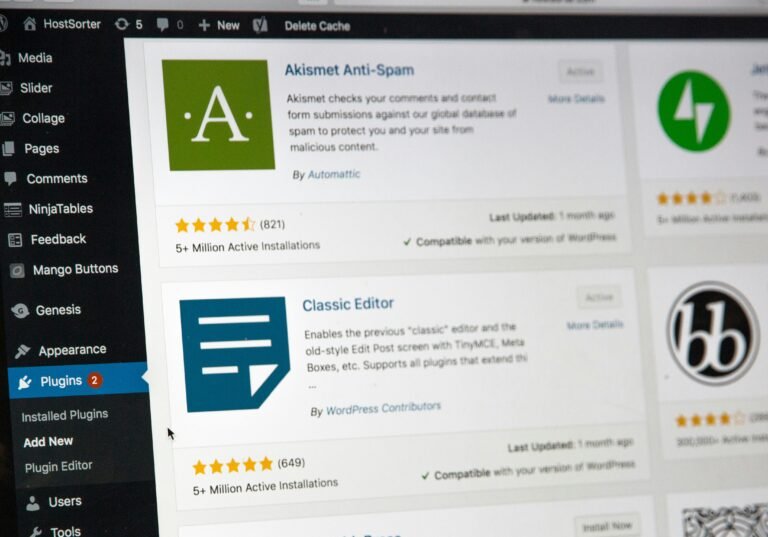
- Go to Plugins > Add New in your WordPress dashboard.
- Search for “Blog Importer for HubSpot”.
- Click Install Now and then Activate.
You can download and install the plugin directly from the WordPress Plugin Directory or upload it manually via your WordPress dashboard.
Step 3: Plugin Configuration
- Navigate to ‘Blog Importer for HubSpot’ in the WP Admin Menu.
- Enter your HubSpot Private App Access Token.
- Choose your desired import settings (Post Type, Post Status).
- Enable Automatic Sync (WP-Cron) if you want scheduled syncing.
- Select a sync interval (Hourly, Twice Daily, Daily, Weekly).
Step 4: Manual Import Execution
Click “Run Import Now” to start importing all published HubSpot blog posts into WordPress. Monitor the import process through the progress bar and logs.
Step 5: Verify & Optimize Imported Content
Once the import is complete:
- Check if all blog posts, images, categories, tags, and metadata are properly imported.
- Perform a manual review to ensure formatting and content structure looks correct.
- Update internal links if necessary.
Maintaining Content Consistency with Automatic Sync
The automatic synchronization feature ensures your WordPress blog stays up-to-date with new or edited HubSpot posts without manual intervention. Simply set your preferred sync interval, and the plugin will handle the rest using WordPress Cron.
This functionality eliminates repetitive import tasks, reduces human errors, and keeps your blog consistently fresh.
Troubleshooting & Best Practices
- If sync jobs don’t trigger, verify your WordPress Cron is functioning properly.
- For high-traffic sites, consider using a real cron job via your server for better reliability.
- Enable WordPress Debug Logging to capture any API or sync-related errors.
- For any issues, refer to the plugin documentation or reach out via GitHub issues/support.
Post-Migration Optimization Tips
Boost SEO After Import
After you import HubSpot blogs to WordPress, it’s crucial to fine-tune your SEO:
- Use plugins like Yoast SEO or Rank Math to optimize titles, meta descriptions, and focus keywords.
- Check all permalinks and ensure 301 redirects are set up to retain search rankings.
- Add schema markup to improve rich search results visibility.
Enhance User Experience
- Choose a lightweight, responsive WordPress theme for faster loading and better mobile experience.
- Install caching plugins (e.g., WP Super Cache, W3 Total Cache) to improve site performance.
- Add social sharing buttons and email opt-ins to increase engagement.
Conclusion: Simplify HubSpot to WordPress Blog Migration with Ease
Migrating your blog from HubSpot to WordPress doesn’t have to be a tedious, error-prone process. With the Blog Importer for HubSpot, you can automate the entire workflow, maintain content integrity, and ensure your WordPress site always reflects the latest updates.
Whether you’re looking to import HubSpot blogs to WordPress for cost savings, better SEO control, or content ownership — this plugin is the ultimate solution to streamline your migration and management tasks.
Download & Start Now!
👉 Download Blog Importer for HubSpot from the WordPress Plugin Directory